Overview
GeoPrior v3 is a task-focused desktop application that turns the GeoPrior workflow into a guided, reproducible, and auditable desktop experience. It wraps the same pipeline you already run from scripts—Stage-1 preprocessing, Stage-2 model runs, and optional Stage-5 transferability— but exposes it through a store-backed UI that keeps configuration, artifacts, and outputs consistent across runs.
At a high level, GeoPrior v3 covers four kinds of work:
Stage-1 (Preprocess): build normalized tensors, scalers, and a manifest describing the prepared data and paths.
Stage-2 (Model runs): train, tune, and infer forecasts, with export helpers for CSV/NPZ and diagnostic plots.
Stage-5 (Transferability): evaluate cross-city generalization with a standard matrix-style report and optional calibration.
Results / Map: inspect, compare, and audit run outputs and spatial patterns (tables, plots, CSV/JSON summaries).
A key idea behind the GUI is that every control writes into a single
configuration store
(GeoConfigStore).
That store is saved with the produced artifacts, so each run can be
reconstructed later: what data was used, what settings were applied,
what manifests/models were selected, and which outputs were generated.
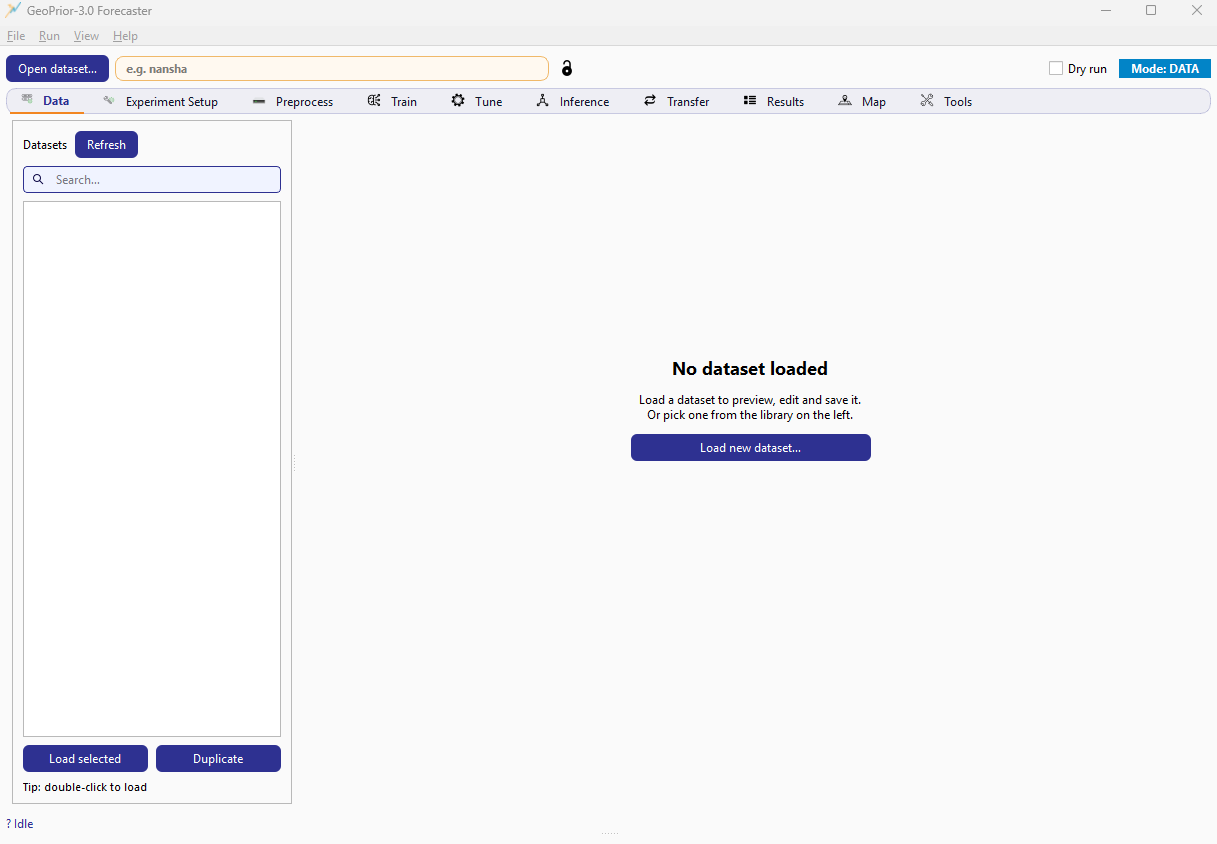
GeoPrior v3 main window showing the global header, the tab strip, and the Data tab in its empty-state.
How the GUI fits with the CLI
GeoPrior v3 does not replace the CLI. Instead, it mirrors the same entry points and produces the same categories of artifacts and outputs. Use the CLI when you want to run batches, integrate with schedulers, or execute on remote machines. Use the GUI when you want faster iteration with guided configuration, built-in visibility into manifests and outputs, and interactive inspection in the Results/Map tabs.
In FusionLab-Learn, the GUI can be launched both as a module and (when
packaged) as a console entry point; see the project scripts section in
pyproject.toml for the exact command name.
Version note
This documentation targets GeoPrior v3 (GUI) v3.2. If you are reading this while using a newer build, see the Changelog.